Restaurant scheduling the whole team opens from LINE.
Morning shift, evening shift, weekend part-timers. Build the week on your phone and send it to LINE in one go; staff clock in by GPS and request leave from the same place. No app to install.
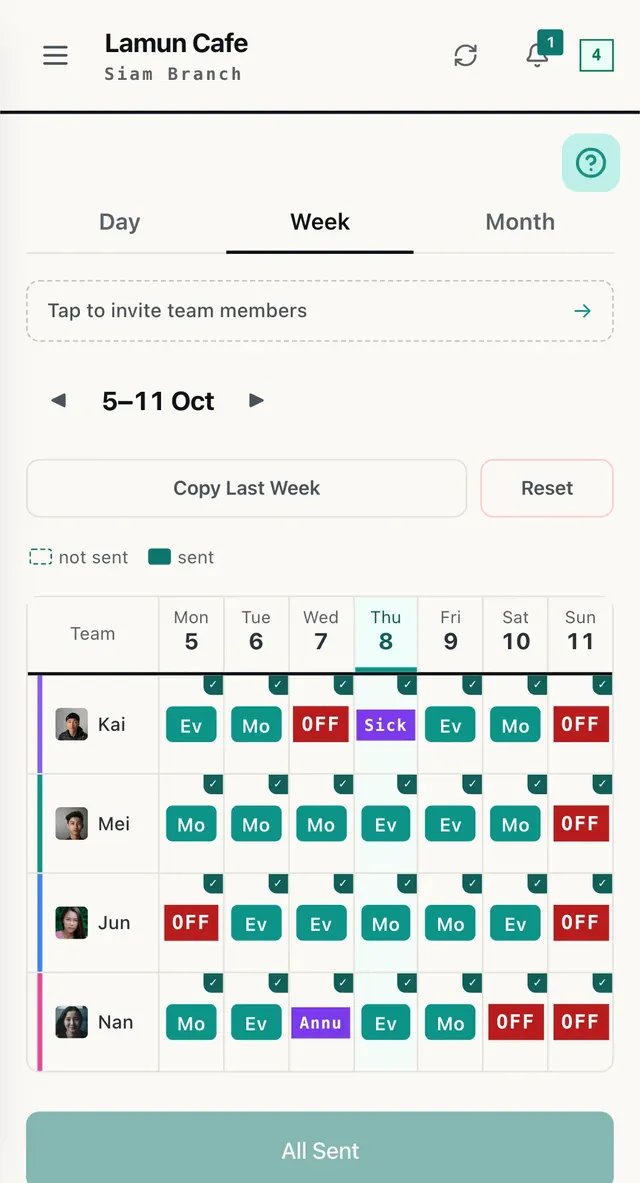
Build the whole week from your phone, then send it once
Set the restaurant's shifts once, say morning 09:00 to 15:00 and evening 15:00 to 23:00, with the minimum people each needs. Then each week is tapping names into shifts, and the system flags any shift still short.
- Morning, evening, full-day and night shifts, each with your own times
- Part-timers, students and full-time staff on one roster
- Each person's fixed days off are kept clear automatically
- Copy last week in one tap
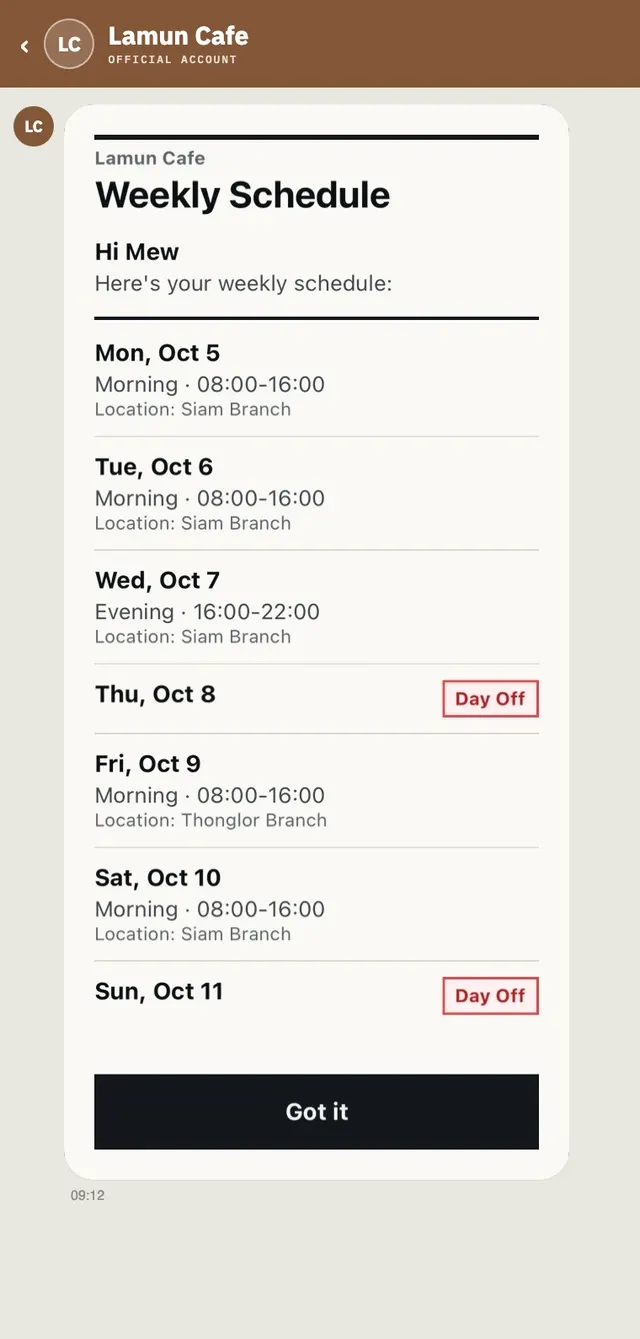
Sent to LINE once. Everyone sees their own shifts.
One tap to send, and everyone gets their own roster in LINE, not a photo of a grid they zoom into to find their name. A mid-week change is edited and sent again.
- A personal roster for each person in LINE
- Tomorrow's shift previewed at 20:00
- A nudge 5 minutes before the start and the end
GPS clock-in from a phone, no scanner by the kitchen door
Staff tap in inside LINE. The system checks the phone is inside the restaurant's radius and measures the time against the shift, so minutes late show beside the name on the day's roster. No machine to go down.
Called in sick? Requested in LINE, on the roster at once
Staff request leave from LINE, the manager approves in one tap, and the day lands on the roster by itself, so you see at once that this evening's shift is a person short. Each balance is counted all year.
The second branch runs on the same system
A new branch joins the same account with its own shifts and its own manager, while you switch branches in one tap and run one attendance report across all of them. Someone helping at another branch is rostered there, and the hours follow them into payroll. Bigger teams: after 60 days you pay a monthly price per store, based on the features you keep. Message us on LINE and we will send you your price.
Questions people actually ask
We have 8 staff. Do we pay?
Can staff swap shifts between themselves?
We use Excel and a LINE group today. How hard is the move?
Let us set it up to fit your business.
Add us on LINE and talk to a real person. One 45 minute call: we prefill the roster, you press Send. After it, the whole system fits your business, with every contract set.
Free forever for small teams. Bigger teams: 60 days free, every feature open, any number of staff, no card needed. They start after your free setup call, or the next day if you set up yourself.
Bigger teams: after 60 days you pay a monthly price per store, based on the features you keep. Message us on LINE and we will send you your price.